Current as of 4 November 2026: Microsoft changes Dynamics 365 regularly. We link to the Microsoft pages this post relies on and update it when they change.
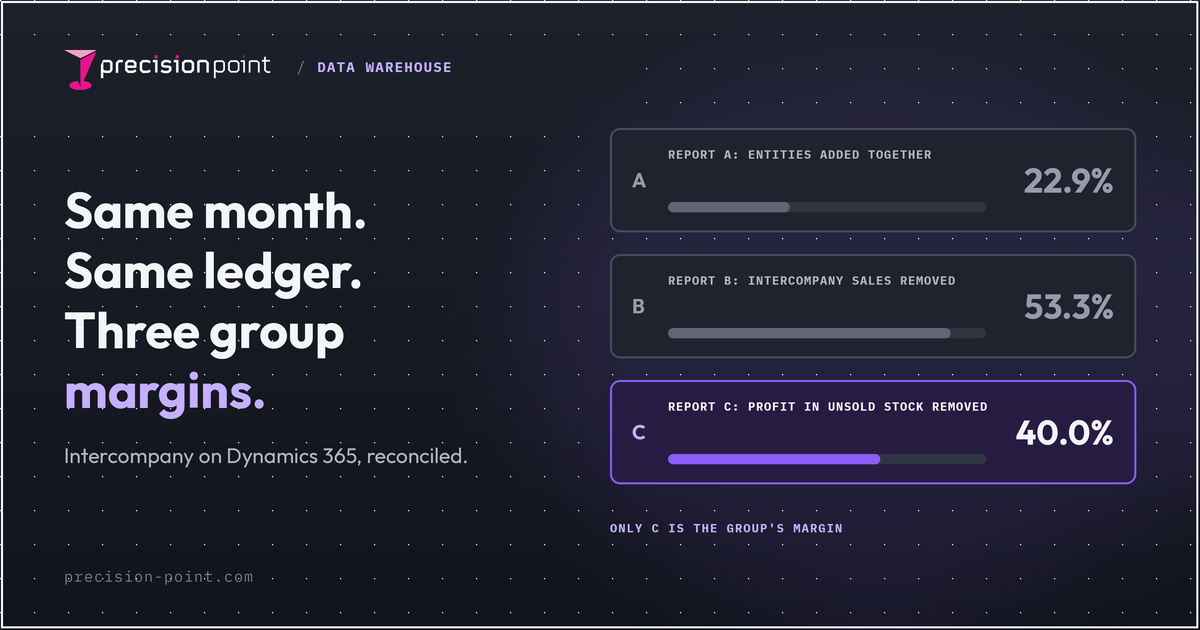
If your board pack, your Power BI report and your finance team's spreadsheet show different group margins for the same month, the usual cause is intercompany trading. Each report handles sales between your own companies differently. The fix is to remove that internal trading in one place, using one set of rules, and check the result against the ledger. Accountants call this intercompany elimination.
Why does group margin change depending on who ran the report?
The board pack shows one gross margin, the group FD's spreadsheet another and the Power BI report a third. All three came from the same month in the same Dynamics 365 ledger, and nobody made an arithmetic mistake. Each report defines "group" differently, so the meeting turns into a debate about which number is right instead of what to do about it.
Illustrative example, invented numbers. MakeCo manufactures a product at £60 a unit and sells it to its sister distributor, SellCo, at a transfer price of £80. In the month, MakeCo ships 1,000 units to SellCo. SellCo sells 600 to outside customers at £100 each. The other 400 are still in SellCo's stock at month end, at their £80 transfer price (£32,000 in total).
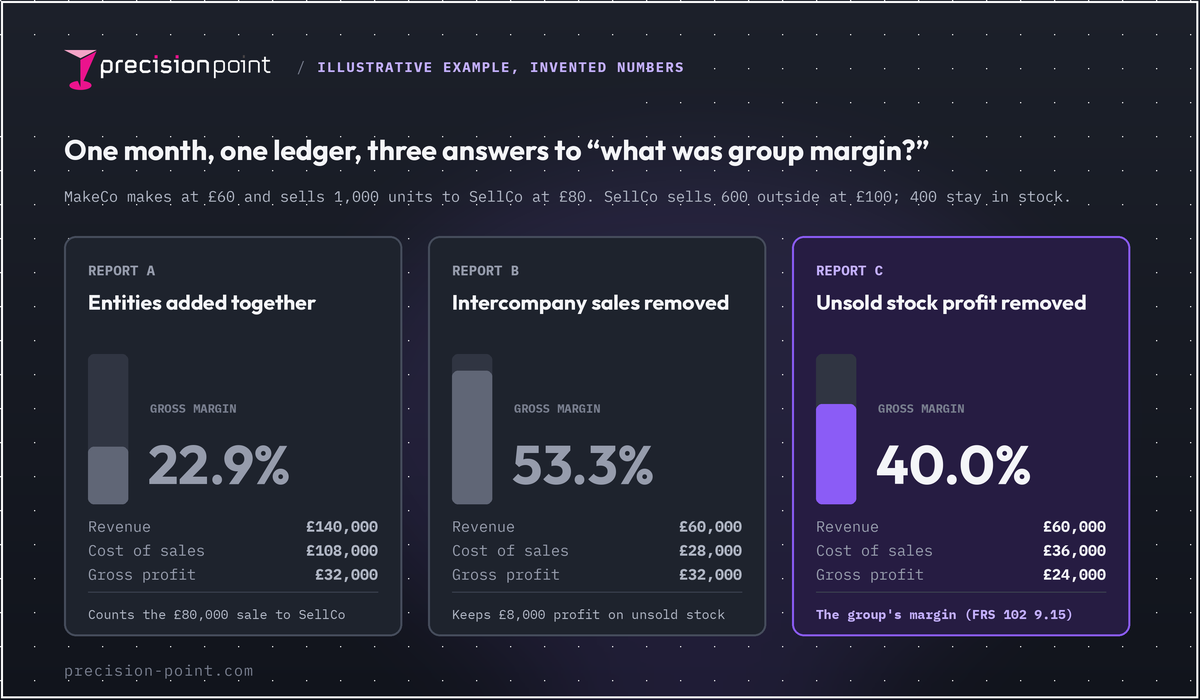
| Report built by... | Revenue | Cost of sales | Gross profit | Gross margin |
|---|---|---|---|---|
| A. Both companies' P&Ls added together, no eliminations | £140,000 | £108,000 | £32,000 | 22.9% |
| B. Intercompany sales and purchases removed, profit on unsold stock left in | £60,000 | £28,000 | £32,000 | 53.3% |
| C. As B, plus unrealised profit in closing stock removed (400 x £20 = £8,000) | £60,000 | £36,000 | £24,000 | 40.0% |
To check C: the group sold 600 units outside at £100 (£60,000), and they cost the group £60 each (£36,000). That leaves £24,000 of gross profit, a 40.0% margin.
Only C is the group's margin. A counts MakeCo's £80,000 sale to its own sister company as revenue. B removes that sale but still books £8,000 of profit on 400 units the group has not sold to anyone. These are different definitions, not calculation errors, but the board needs one answer.
The fix is one set of rules, applied the same way everywhere from the ledger to the board pack. Our guide to the Microsoft data stack for Dynamics 365 shows how those pieces fit together.
What are intercompany eliminations?
Intercompany eliminations remove trading between companies in the same group, so the group accounts show only what the group did with the outside world. That means taking out sales and purchases between group companies and the balances they owe each other. It also means dividends paid within the group, and profit on goods or fixed assets still held inside the group.
For UK groups, FRS 102 paragraph 9.15 is explicit: "Profits and losses resulting from intragroup transactions that are recognised in assets, such as inventory and property, plant and equipment, are eliminated in full." IFRS 10 takes the same approach. ACCA guidance puts it plainly: until stock is sold outside the group, "any profit is unrealised and should be eliminated".
The standard is clear. The hard part is applying it the same way in every report, every month.
Five reasons group margin moves
Five causes are worth checking, and more than one can hit in the same month. In the table, F&O means Dynamics 365 Finance and Operations and BC means Business Central.
| Cause | What the CFO sees | Where it happens in Dynamics 365 | The fix |
|---|---|---|---|
| Eliminations applied in one report and not another | Different margins for the same month, depending on who ran the report | F&O: depends which of its several consolidation methods was used. BC: eliminations entered by hand | Rules defined once and applied to every report |
| Profit left in unsold stock | Margin better than the group has earned, then a drop when the stock sells | Goods move between companies at a transfer price, and neither product's documentation describes removing the profit on unsold stock automatically | Profit on unsold stock calculated and removed every period |
| Intercompany balances that do not agree | Amounts owed between group companies that do not match, and a close that stalls while teams chase | BC: invoices waiting in the other company's inbox. F&O: intercompany orders where one side is held or missing | Balances matched by company and currency, with every difference listed and assigned to someone to clear |
| Different exchange rates for the same numbers | One subsidiary, different sterling results | Rate method set account by account in F&O and BC, and it can differ by company | One set of rate rules for every report |
| Accounts mapped differently by company | The same cost landing on different lines in different reports | Consolidation account mapping in F&O and BC | One group mapping, maintained centrally |
Eliminations applied in one report and not another
Three questions decide this. Does the report remove intercompany sales only, or the profit on unsold stock too? Did it use Dynamics 365's built-in consolidation, or did someone build their own in Excel or Power BI? And did it run before or after the eliminations were posted? Two people can both be right and still hand the board different numbers.
Profit left in unsold stock (unrealised profit)
This catches manufacturers selling through their own distributor. In report B, £8,000 of profit is still sitting in SellCo's stock, and the group only earns it when those goods leave the group. Accountants call this the provision for unrealised profit, and it is added to cost of sales. The transfer price decides how margin is split between MakeCo and SellCo, so changing it moves each company's margin. Changing the transfer price should not move the group margin once unrealised profit is removed. If your group margin moves when the transfer price changes, the profit on unsold stock is not being taken out.
Intercompany balances that do not agree
Eliminations only work if both companies have recorded the transaction. In Business Central, an intercompany invoice lands in the other company's intercompany inbox. Microsoft says "You must evaluate each transaction in your inbox and act on it." Until someone in the receiving company accepts it, only the selling company has recorded the transaction. In Finance and Operations, the invoice to the outside customer can post while the matching invoice between the two group companies is stuck on an error. Only part of the chain is then recorded. Month end adds a familiar gap too: goods in transit, where the seller has invoiced and the buyer has not yet received them.
Different exchange rates for the same numbers
Both products set the exchange rate method account by account. In Finance and Operations, Microsoft describes the average rate as "Typically used for profit and loss accounts". A spreadsheet that uses one month-end (closing) rate for everything will give a different answer from the ERP. Mixing the two is worse. If a euro subsidiary's revenue is translated at the average rate but its cost of sales at the closing rate, group gross profit is overstated. In a second illustrative example with invented rates, the overstatement was over £6,000, about two percentage points of group margin.
Accounts mapped differently by company
Every company's accounts have to be mapped to the group's chart of accounts, and both products do this account by account. If one company books a cost in cost of sales and another books it in overheads, gross margin moves between reports. The same happens if a transaction is not tagged with the group company it was with. The elimination cannot find it, so the amount stays in the group figures.
How does Dynamics 365 handle intercompany and consolidation?
For IT and BI readers: the practitioner detail starts here.
Finance and Operations
Microsoft's consolidation and elimination overview lists four consolidation routes: Consolidate online, Financial reporting (consolidated at report generation), Consolidate with import, and Export company balances. Eliminations can be done three ways: elimination rules, a separate elimination company with manual postings, or filters and calculated rows in Financial reporting. Microsoft recommends a Trading Partner dimension to identify intercompany activity, or main accounts reserved for intercompany only. The elimination rules page covers sales at cost, cost plus shipping, markup and split margin. It does not mention unrealised profit in stock.
Currency depends on the route. Consolidate online uses its Currency translation tab and Ledger setup. Financial reporting uses the exchange rate type and method on each main account, with legal entity overrides. In our view, the two can give different group figures unless someone deliberately sets them to match. For getting F&O data out, see Fabric Link or Synapse Link.
Business Central
Business Central treats each subsidiary as a business unit and consolidates them into a separate company. Microsoft describes that company as "just a container for the consolidated data", with no live business data of its own. Exchange rates are set per business unit and G/L account, and the average rate is entered manually. On eliminations, Microsoft is direct: "Processing consolidation eliminations is a manual process."
Where the built-in tools stop
Neither product documents an automatic elimination of unrealised profit in stock, and clearing mismatches is still a finance task. Once numbers leave the ERP, a Power BI model or Excel pack can remove different things, use a different method or apply a different rate. Dynamics 365's own financial reports have their place, but keeping every other report consistent with them is a separate job.
For finance readers: the finance view picks up again here.
Where should eliminations live: ERP, spreadsheet or data warehouse?
- In the ERP. Good for statutory consolidation using Microsoft's documented process. Less flexible for management reports such as margin by product.
- In a spreadsheet. Flexible and quick, but the logic lives in one workbook and often one person's head. See when the month-end spreadsheet stops being safe.
- In a data warehouse. Rules defined once, and every report, Power BI or Excel, reads the same eliminated figures. That is the case for why a data warehouse matters to finance.
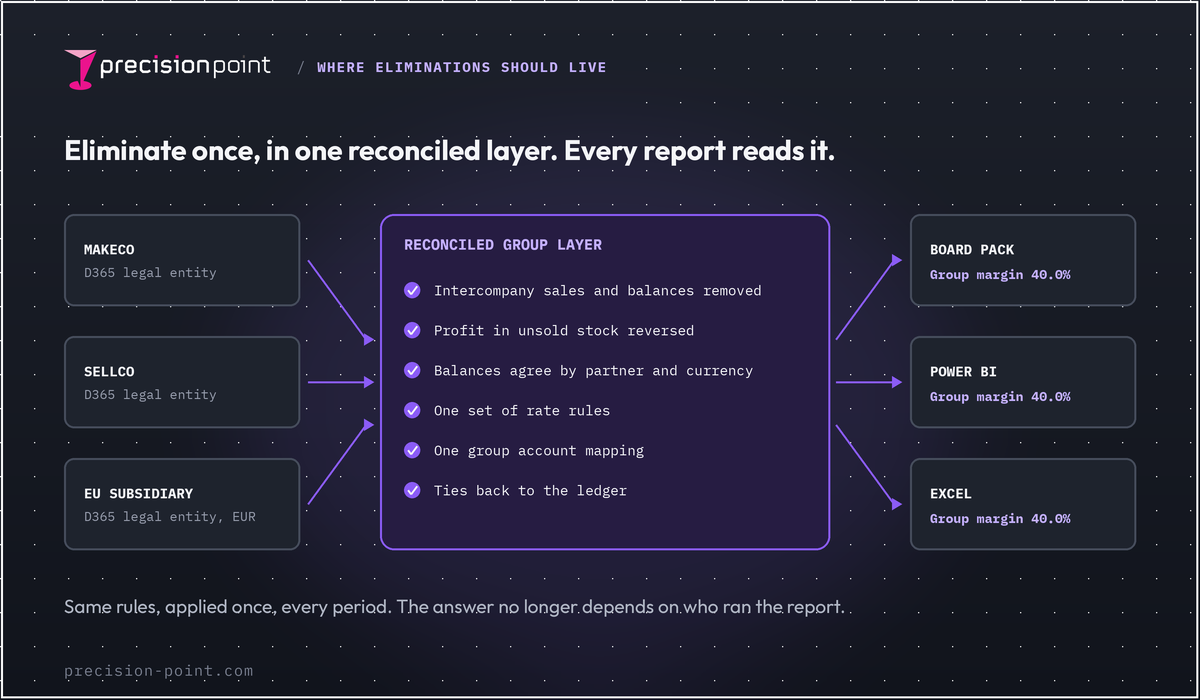
Our view: remove intercompany trading once, in one place that every report reads from, and check it against the ledger every period. Finance gets one agreed group margin, a faster close, fewer "which number is right" meetings and figures the auditor can trace.
Schréder uses PrecisionPoint to consolidate data from more than 70 companies running Dynamics AX 2012, AX 4, Dynamics 365 Finance and Operations and other ERPs. Its Group IT Director, Jean-Jacques Van Gils, says the finance team "can now produce consolidated group-wide management accounts in minutes rather than days".
What does a reconciled group number look like?
It passes five checks every period:
- Amounts owed between group companies agree on both sides, by currency.
- The eliminations cancel out to zero across the group.
- Profit in intercompany stock is calculated and reversed.
- The consolidated trial balance equals the sum of the entity ledgers less eliminations.
- Every figure in the board pack can be traced to a balance in Dynamics 365.
When a check fails, the difference is listed and someone owns clearing it, rather than burying it in a balancing figure. Copying the data out of Dynamics 365 is not enough on its own; we explain why in our article on numbers that survive an audit. Reveal is our ready-made data foundation for Dynamics. It is set up for your companies and chart of accounts and reconciles itself to the Dynamics ledger, so you start from figures that already agree.
Five questions to ask before the next board pack
- Who ran this report, and which method did it use?
- Which eliminations did it include, and were they posted before it ran?
- Is the profit in intercompany stock reversed?
- Do intercompany balances agree, by partner and by currency?
- Does every figure match the Dynamics 365 ledger?
If the honest answer to any of these is "it depends who you ask", group margin has become a matter of opinion.
FAQ
How do you eliminate intercompany transactions in consolidation?
Remove every sale, purchase and balance between group companies, so only trade with outside customers and suppliers remains. Then remove any profit still sitting in intercompany stock by adding it to group cost of sales. Finally, check that intercompany receivables equal payables and that the eliminations cancel out to zero across the group.
Why does intercompany elimination take so long at month end?
The time goes on finding and clearing differences between the two sides. In Business Central, transactions can wait in a partner's intercompany inbox until someone accepts them, and eliminations are posted by hand. In Finance and Operations, invoices stuck on one side of an intercompany order and accounts mapped differently between companies create gaps. Someone has to find and clear them before the eliminations can run.
Does Dynamics 365 eliminate intercompany transactions automatically?
Partly. Finance and Operations has elimination rules that can run during online consolidation or through an elimination proposal. In Business Central, Microsoft says processing consolidation eliminations is a manual process. Neither product's documentation describes automatically eliminating unrealised profit in stock, so that step needs its own calculation.
What is unrealised profit on intercompany stock?
It is the profit one group company makes selling goods to another while those goods are still in the buyer's stock at period end. The group has not sold them to anyone outside, so it has not earned that profit. FRS 102 requires it to be eliminated in full, which in practice means adding it to group cost of sales.
How do you reconcile intercompany balances?
Match each company's receivables from a partner against that partner's payables, by partner and by currency. Investigate every difference, such as a transaction not yet accepted, an invoice held on error, goods in transit at cut-off or a different exchange rate. Clear or explain each one before eliminating, so the eliminations cancel out to zero.
Talk to us
If your group margin depends on who ran the report, start with the ledger, not the dashboard. Book a ledger reconciliation review and we will check whether your company figures, eliminations and reports agree with the Dynamics 365 ledger.